CMYK vs RGB
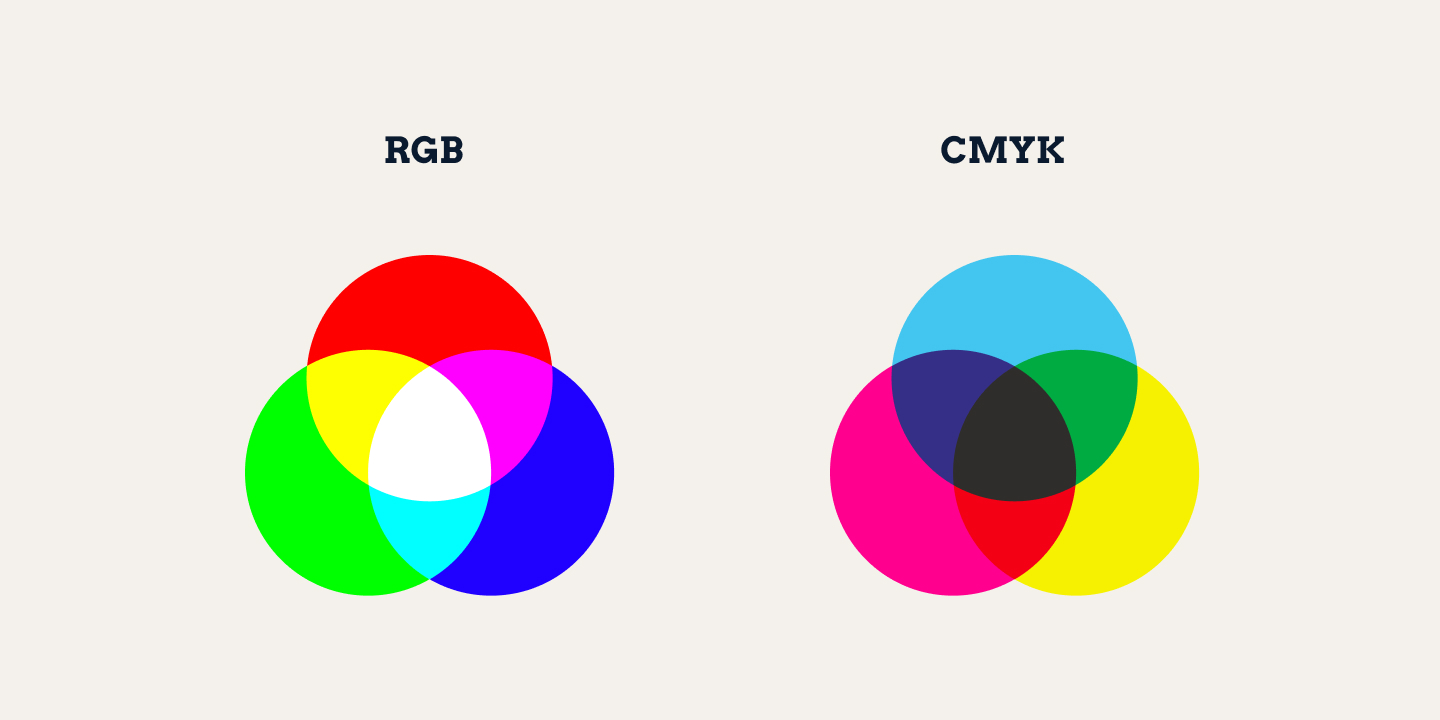
RGB is the colour of a screen, made by mixing light; CMYK is the colour of print, built from four inks. A file meant to print carries CMYK, and the conversion from screen colour is part of getting it print-ready.
Intro
CMYK and RGB are the two ways a file tells a screen or a press what colour to put down. They are not the same thing, and a file in the wrong one has a specific, predictable result: it prints, but the colour comes out flat and dull. This page is the plain-language answer to what each mode is and which one a print file needs.
What the two colour modes are
RGB is the screen's colour. Red, Green and Blue are the three channels of light a screen mixes to make every colour you see on a display. Screens make light, so RGB is the natural way to describe a colour on a screen. Every logo on a website, every image in a social graphic, every file you view on a display is RGB at some point.
CMYK is the print's colour. Cyan, Magenta, Yellow and blacK are the four inks a commercial press uses to build printed colour. Print puts ink on a surface - it mixes and layers these four inks to approximate the colour. So CMYK is the colour language of print.
Why the RGB version prints flat
RGB prints, but the colour lands differently on paper or fabric than it does on a screen. Screen colour is emitted light; print colour is reflected ink. They cover different ranges of colour. A bright, saturated colour that pops on screen carries to print as a flatter, more muted version, and a neon that looks vivid on a display simply can't be matched in ink.
The fix is not to change the colour. It's to convert the file to the print colour space - CMYK - so the press knows what the colour is supposed to be. A file designed and finished in CMYK stays predictable when it prints.
Which one each job needs
- RGB when it stays digital only - a social graphic, a web asset, a screen mock.
- CMYK when it becomes a physical item - anything that ends up as printed merch.
How the conversion works
The two colour spaces are related, so a file converts between them. Converting to CMYK is standard practice in a print workflow, and it's done to the file, not guessed at on a screen. Your file's colour is converted on our side so the printed item matches the design you approved.
The honest rule in one line
Design on screen in RGB, convert to CMYK for print - and we do the conversion, so the print comes back predictable.
The short version
RGB is how screens make colour; CMYK is how print does. Convert print files to CMYK so the press knows the intended colour. SoMerch handles that step for you.