
SoMerch Integration for ChatGPT
The SoMerch integration for ChatGPT helps teams plan company merchandise directly inside ChatGPT. Users can search the live SoMerch catalog, compare products using quantity-aware pricing, review MOQs and lead times, open detailed product information, build budget-aware merch plans for onboarding, gifting and events, check delivery feasibility across supported European markets, reopen recent plans, and request a formal quote through a controlled confirmation flow.
The short answer
The SoMerch integration for ChatGPT brings company merchandise planning into the ChatGPT conversation.
The live plugin is positioned as:
Plan company merch in Europe
It supports several connected tasks:
-
Search real SoMerch products using natural-language requirements.
-
Compare products using quantity-aware pricing rather than only a catalog starting price.
-
Review MOQ, lead time, available colours, sustainability information and product links.
-
Open full product details when a specific item needs closer review.
-
Build one recommended merch concept or several alternatives around a quantity, budget, destination and deadline.
-
Reopen a recently generated plan without starting from scratch.
-
Request a formal quote through a confirmation flow before the request is submitted.
Typical use cases include employee onboarding kits, employee gifts, client gifts, conference merchandise, event giveaways and broader company merch programs.
The public plugin listing currently includes these example prompts:
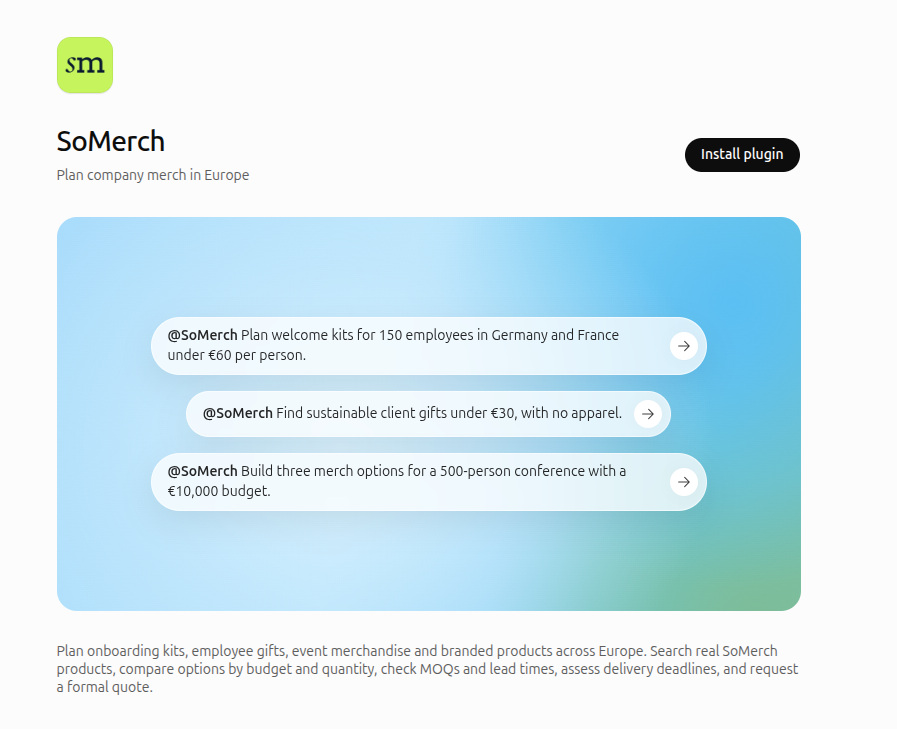
@SoMerch Plan welcome kits for 150 employees in Germany and France under €60 per person.
@SoMerch Find sustainable client gifts under €30, with no apparel.
@SoMerch Build three merch options for a 500-person conference with a €10,000 budget.
The integration does not place a paid ecommerce order or transfer money. Product discovery and merch planning are advisory workflows. Final commercial pricing and production details are confirmed through the SoMerch quote process.
Goals
The integration is designed to make company merchandise easier to plan without forcing users to leave the conversation for every product, price or planning decision.
The main goals are to:
-
make the real SoMerch catalog searchable from natural language;
-
use the requested quantity when evaluating applicable product pricing;
-
make MOQ and lead-time constraints visible before a user commits to an idea;
-
turn a short project brief into a practical merchandise concept;
-
compare several concepts when the user explicitly asks for alternatives;
-
assess whether a requested delivery date is realistic;
-
keep supported and unsupported destination markets clear;
-
show product and plan information visually inside ChatGPT; and
-
move from planning to a formal quote only after the user reviews and confirms the request.
Before you start
You do not need to prepare a detailed procurement brief before using SoMerch.
A simple request can be enough to start, but the results are better when the prompt includes the information that matters to the project.
| Information | Why it helps | Example |
|---|---|---|
| Goal | Helps SoMerch understand the occasion and type of merchandise | New employee welcome kits |
| Audience | Helps shape the concept | 150 new employees |
| Quantity | Selects the applicable volume price tier and checks MOQ | 150 recipients |
| Budget | Keeps the concept within a per-person or total target | €60 per recipient |
| Destination | Lets SoMerch assess supported markets and delivery timing | Germany and France |
| Deadline | Enables delivery feasibility calculations | Needed by 15 November |
| Product preferences | Narrows the catalog | Drinkware, notebooks, no apparel |
| Sustainability preference | Prioritizes or requires sustainable items | Sustainable products preferred |
| Colour preference | Filters products where possible | Black, navy or green |
Browsing products and generating a merch plan do not create a commercial order.
A SoMerch account is not required simply to search products or generate a plan. A formal quote request asks for company and contact details. If the business email is new to SoMerch, the normal quote flow may create the corresponding account and send the standard welcome sign-in email.
Install SoMerch in ChatGPT
Step 1: Open the public SoMerch plugin page
Open the public SoMerch plugin listing in ChatGPT:
https://chatgpt.com/plugins/plugin_asdk_app_6a84141dbb1c8191acdb877b8b846b8a
The live page shows the SoMerch name, the subtitle Plan company merch in Europe, suggested prompts, the plugin description and an Install plugin button.
Step 2: Connect SoMerch to ChatGPT
Select Install plugin.
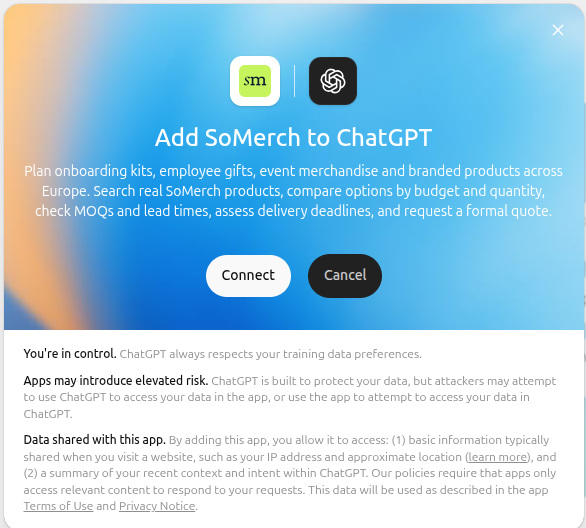
ChatGPT opens a connection dialog titled:
Add SoMerch to ChatGPT
Review the information shown by ChatGPT and select Connect if you want to add the plugin.
This step connects the SoMerch plugin to ChatGPT. It is not the same as entering a SoMerch account password into ChatGPT.
Step 3: Confirm that the plugin is installed
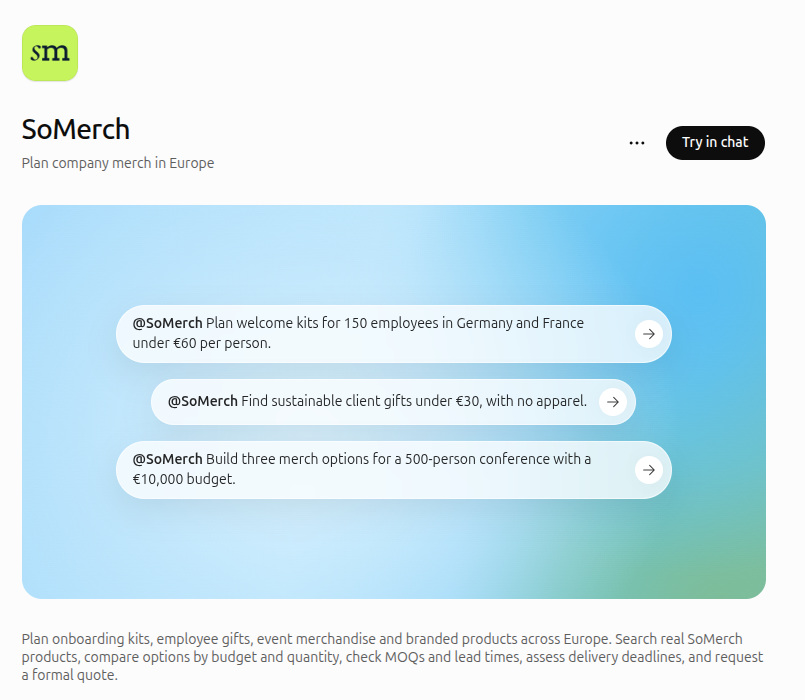
After the connection succeeds, the public plugin page changes to the installed state and shows Try in chat.
Select Try in chat to open a conversation where SoMerch is available.
Step 4: Describe what you need
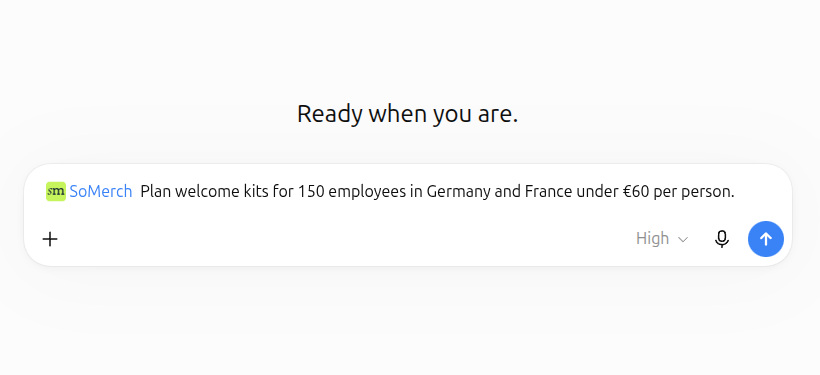
SoMerch appears as the selected plugin in the ChatGPT composer.
You can now describe the project in natural language.
For example:
Plan welcome kits for 150 employees in Germany and France under €60 per person.
You do not need to know product IDs, category IDs, internal order references or API fields.
Find and compare merchandise
SoMerch can search the live merchandise catalog from a natural-language request.
Useful search criteria include:
-
product type;
-
free-text product name or brand;
-
quantity;
-
maximum estimated unit price;
-
category;
-
collection;
-
sustainability preference;
-
apparel exclusion; and
-
presentation language.
For example:
Find sustainable client gifts under €30, with no apparel.
or:
Find reusable water bottles for 100 employees under €25 each.
When quantity is included, SoMerch uses the applicable quantity price tier for the requested quantity when filtering by price.
This is different from checking only a catalog starting price. A product that starts below the user's budget at a very high volume is not automatically treated as being within budget for a smaller requested quantity.
The product cards can show:
-
product image;
-
product name;
-
current starting or applicable price;
-
MOQ;
-
lead time;
-
SKU;
-
relevant colours; and
-
a link to view the product.
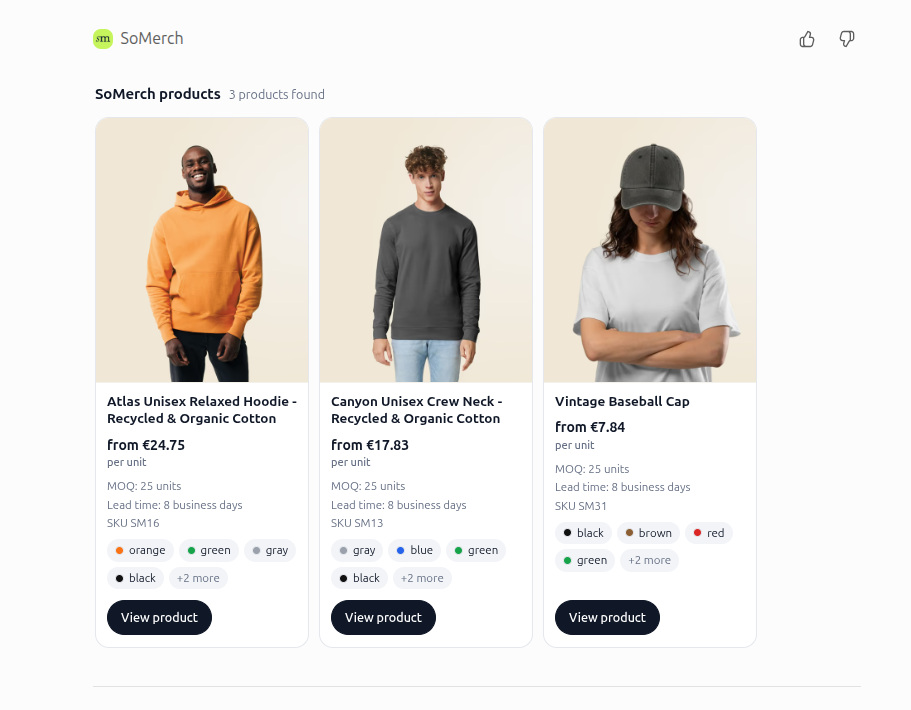
The search result is intentionally concise. If a product looks relevant, ask for the full details rather than forcing every catalog field into the first result.
View full product details
After a product has been found, ask ChatGPT to show its full SoMerch details.
For example:
Show me the full details for the Dopper Original, including pricing tiers, colours, MOQ, branding and lead time.
The detailed product response can include:
-
full product name and SKU;
-
current catalog description;
-
full quantity price ladder;
-
MOQ;
-
available variants and colours;
-
branding methods;
-
estimated lead time;
-
sustainability information;
-
materials or construction information where published; and
-
the live SoMerch product link.
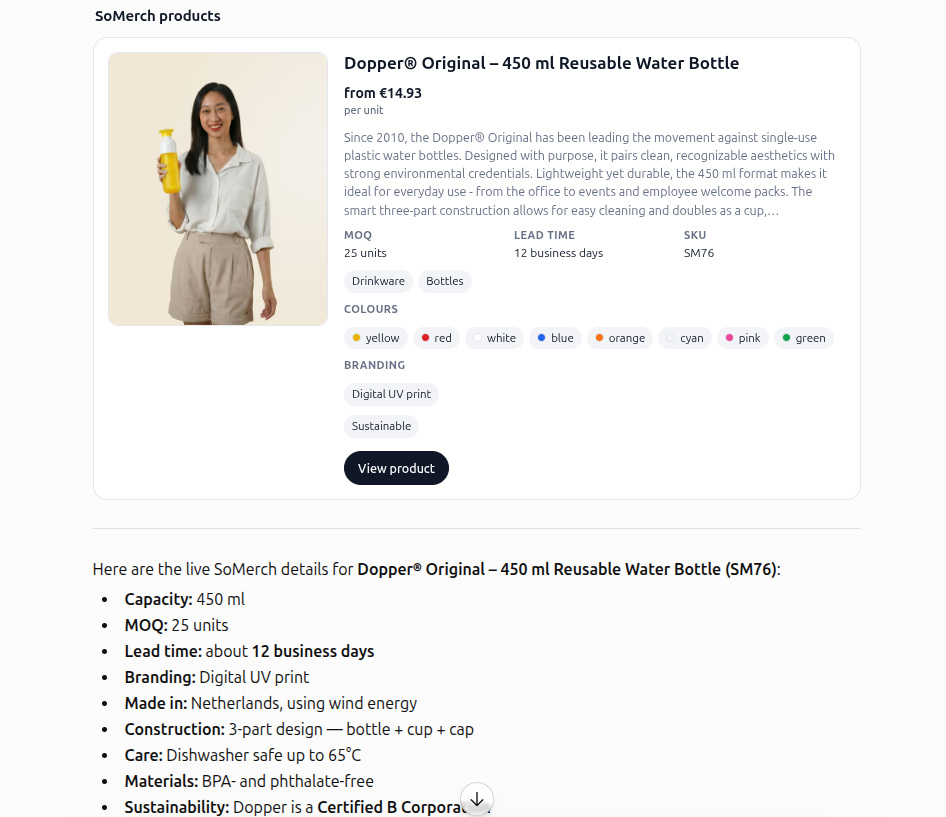
The detailed view should be treated as catalog information, not a final production quote. Product availability, decoration, packaging, shipping and other commercial details are confirmed as part of the quote process.
Plan a merchandise project
For broader projects, describe the goal instead of searching for one product at a time.
Examples include:
Plan welcome kits for 150 employees in Germany and France under €60 per person.
Build three merch options for a 500-person conference with a €10,000 budget.
Plan sustainable client gifts for 200 recipients in Germany with a €35 per-person budget.
A project brief can include:
-
goal or occasion;
-
audience;
-
quantity;
-
budget per recipient;
-
total budget;
-
deadline;
-
categories or collections;
-
preferred colours;
-
sustainability requirements;
-
apparel exclusions;
-
branding requirements; and
-
recipient markets.
By default, SoMerch can return a recommended concept. When the user explicitly asks to compare several options, the planner can return up to three concept tiers:
-
Leaner;
-
Recommended set; and
-
Single statement item or another stronger premium direction.
Each plan is built from real published SoMerch products.
The plan view can include:
-
selected products;
-
product images;
-
quantity-aware unit pricing;
-
quantity per item;
-
MOQ handling;
-
product subtotal;
-
total required spend;
-
effective cost per recipient;
-
exclusions;
-
production timeline;
-
delivery feasibility;
-
assumptions;
-
warnings; and
-
a SoMerch plan reference.
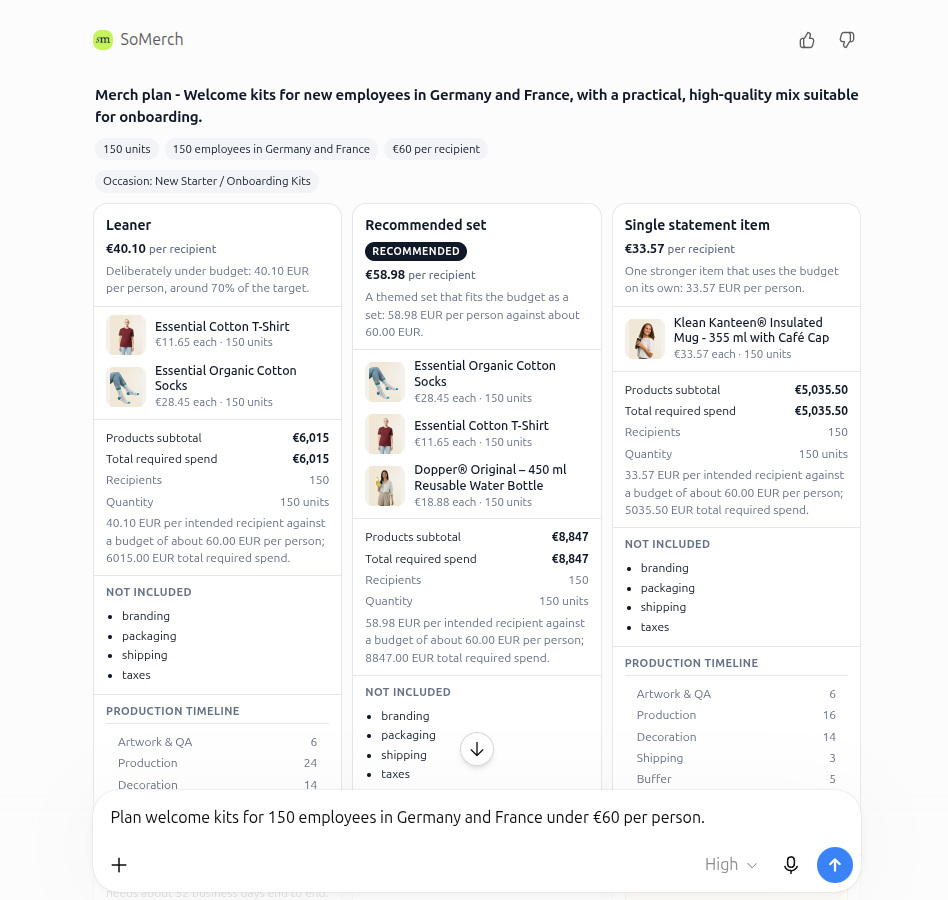
The visual plan is useful for comparing several directions without manually combining catalog pages and spreadsheets.
A plan does not create a customer order, production job or quote request.
How budget handling works
SoMerch uses the requested quantity when evaluating product prices.
For example, a user planning 150 welcome kits should see pricing that reflects the applicable catalog tier for 150 units rather than a lower starting price that might only apply at a larger quantity.
MOQ also matters.
If a product has a minimum order quantity above the intended recipient quantity, the planner can account for the effective purchase quantity and any surplus units instead of pretending that the requested quantity can be purchased below the MOQ.
The plan can evaluate either:
-
a per-recipient budget; or
-
a total project budget.
The displayed plan subtotal represents the products included in the concept. Unless the plan explicitly states otherwise, costs such as branding, packaging, shipping and taxes are not automatically included in the merchandise subtotal.
How deadline feasibility works
When the user provides a deadline, SoMerch evaluates whether the concept can reasonably arrive in time.
The current planning logic can account for stages such as:
-
artwork and proofing;
-
production;
-
decoration or personalization;
-
shipping; and
-
a safety buffer.
When branding is not required, the decoration stage can be removed from the timeline.
The planner can report:
-
required business days;
-
available business days;
-
timing risk;
-
latest safe order date; and
-
earliest achievable delivery where the requested deadline cannot be met.
If no generated concept can meet the deadline, SoMerch should not invent a feasible delivery date. It can instead explain that the requested date is not feasible and show the relevant timing trade-offs.
A faster alternative, when available, is separate from the generated concepts. Its date should not be interpreted as the order-by date for every concept shown in the plan.
Supported recipient markets
The current SoMerch fulfillment scope covers the 27 European Union member states plus Switzerland.
The planner accepts country names and ISO two-letter country codes for supported destinations.
If all requested destinations are outside the SoMerch fulfillment area, the planner should return an unsupported-market result rather than produce a fabricated plan with unsupported delivery assumptions.
If the request mixes supported and unsupported destinations, SoMerch can produce a plan for the supported markets while clearly identifying the destinations that are outside the current fulfillment scope.
This distinction matters for distributed teams. A company may be based outside Europe while still planning merchandise for employees or recipients in supported European markets.
Reopen a recent plan
Every generated SoMerch plan receives a short plan reference such as:
SM-7QK4-8P2
The plan is stored temporarily so the user can refer to it later in the same planning flow.
For example:
Show me that plan again.
ChatGPT can reopen the stored SoMerch plan instead of generating a new one.
This preserves the same:
-
products;
-
pricing;
-
option structure;
-
feasibility information; and
-
plan UI.
Plan snapshots are temporary and currently expire after approximately 24 hours.
If the plan has expired, create a new plan using the original brief.
Reopening a plan does not create a quote, customer order or production job.
Request a formal quote
When a user is satisfied with a plan, they can ask SoMerch to prepare a formal quote request.
For example:
I want a formal quote for the recommended option.
SoMerch needs the business information required for the request, including:
-
company name;
-
contact name;
-
business email; and
-
explicit acceptance of the SoMerch terms and privacy policy.
Optional information can include a phone number, target budget, deadline and notes.
ChatGPT permission before sharing data
Before a tool action shares the specified contact information with SoMerch, ChatGPT can display a permission dialog showing what data will be shared.
The user can review the action and choose whether to allow it.
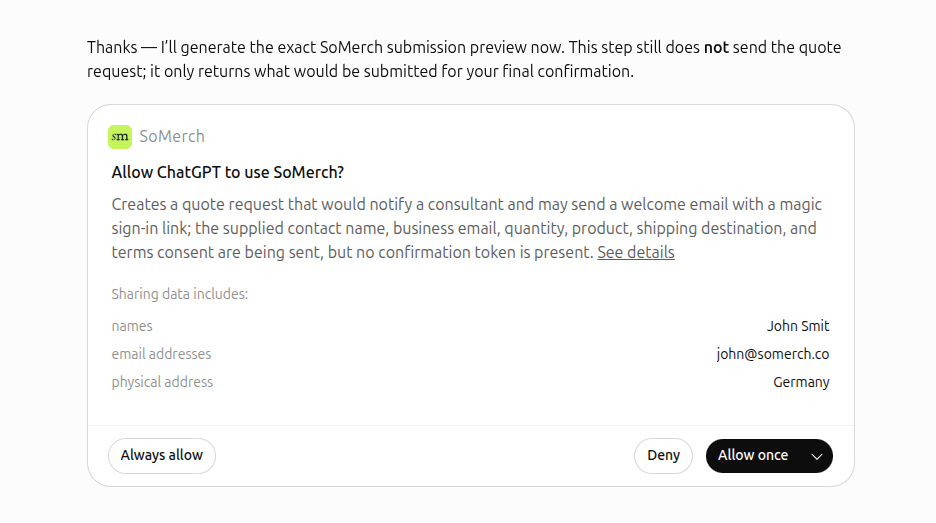
The permission dialog is an important safety step, but it is not the same as final quote submission.
SoMerch confirmation flow
The SoMerch quote tool uses a two-step confirmation process.
On the first SoMerch quote call:
-
no quote request is created;
-
SoMerch returns a preview of what would be submitted;
-
a single-use confirmation token is generated; and
-
ChatGPT asks the user to confirm the preview.
Only after the user explicitly confirms can ChatGPT make the second call using the same payload and the returned confirmation token.
That second confirmed call can create the formal quote request and notify the SoMerch team.
For a new business email, the normal SoMerch flow may also create the corresponding account and send a welcome email with a magic sign-in link.
Do not provide fake contact details when requesting a real quote.
What happens after a quote request
A quote request moves the interaction from planning into the SoMerch business workflow.
It does not mean that a payment has been made or that production has automatically started.
The SoMerch team can review:
-
selected plan option;
-
product requirements;
-
quantity;
-
target budget;
-
deadline;
-
destination information;
-
branding requirements;
-
packaging or fulfillment requirements; and
-
any notes supplied by the user.
Final product availability, branding, shipping and commercial pricing can then be confirmed through the formal quote process.
Markets, pricing and delivery assumptions
The ChatGPT integration is designed to help users make a useful planning decision before requesting a quote.
The following principles should remain clear:
| Topic | Current behavior |
|---|---|
| Catalog products | Product search and plans use published SoMerch products |
| Quantity pricing | The requested quantity is used to select the applicable catalog price tier when available |
| MOQ | MOQ constraints are surfaced and can affect effective purchase quantity |
| Product subtotal | Represents the merchandise included in the concept |
| Branding | Not automatically included unless explicitly stated |
| Packaging | Not automatically included unless explicitly stated |
| Shipping | Not automatically included unless explicitly stated |
| Taxes | Not automatically included unless explicitly stated |
| Markets | EU27 plus Switzerland |
| Deadline | Evaluated using business-day production and delivery assumptions |
| Final commercial terms | Confirmed through a formal SoMerch quote |
Prices shown during planning are preliminary.
Use the formal quote process when an exact production-ready price is required.
Common ways to use SoMerch in ChatGPT
Employee onboarding
A People or HR team can ask:
Plan welcome kits for 150 employees in Germany and France under €60 per person.
SoMerch can identify the onboarding use case, choose suitable products, account for the requested quantity, compare several concepts if requested and evaluate delivery feasibility.
Employee gifting
A People team can describe the occasion, number of recipients, destination and budget.
The planner can then build a practical merchandise concept while keeping product and delivery constraints visible.
Client gifts
A Marketing or Sales team can search directly:
Find sustainable client gifts under €30, with no apparel.
This is useful when the buyer already knows the product direction and wants to compare real catalog options before asking for a broader plan.
Events and conferences
A Marketing or Events team can ask:
Build three merch options for a 500-person conference with a €10,000 budget.
The planner can compare several concept directions and keep the total spend visible.
Product research
When the user is not ready to build a full kit, SoMerch can be used simply to compare products, prices, colours, branding methods and lead times.
Data, permissions and privacy
The information shared with SoMerch depends on what the user asks the plugin to do.
Product search
A product search may include:
-
search terms;
-
product categories;
-
quantity;
-
maximum estimated unit price;
-
sustainability requirements;
-
colour preferences;
-
apparel exclusions; and
-
presentation language.
The search does not need customer contact details.
Merch planning
A merch plan may include:
-
project goal;
-
audience;
-
quantity;
-
per-person or total budget;
-
destination markets;
-
deadline;
-
product preferences;
-
sustainability preferences;
-
branding requirements; and
-
planning assumptions.
Generating the plan does not by itself create a customer, order or quote request.
Quote request
A formal quote request may include:
-
company name;
-
contact name;
-
business email;
-
optional phone number;
-
selected plan option;
-
quantity;
-
target budget;
-
deadline;
-
notes;
-
terms acceptance; and
-
optional marketing consent.
ChatGPT can display a permission prompt before contact information is shared through the tool.
SoMerch also requires explicit confirmation before the quote request is finally created.
For full information about data handling, retention and user rights, see the SoMerch Privacy Policy.
When reporting a technical issue, include:
-
approximate date and time;
-
what you asked ChatGPT;
-
whether SoMerch was selected;
-
the plan reference if one exists;
-
the product name or SKU if relevant;
-
the error or warning shown; and
-
what you expected to happen.
Do not send passwords, API keys, authentication codes, access tokens or other authentication secrets in a support message.
Disconnecting or uninstalling SoMerch
You can stop using SoMerch in ChatGPT by removing or disconnecting the plugin through the controls available for installed plugins in your ChatGPT account.
Removing the plugin does not automatically cancel:
-
an existing SoMerch order;
-
a quote request already submitted;
-
a production job;
-
an active shipment; or
-
another commercial agreement already created outside the planning conversation.
Temporary plan snapshots expire independently of plugin installation.
Operational and commercial records that already exist in SoMerch are handled according to the applicable SoMerch terms, privacy rules and legal retention requirements.
Support
For help with SoMerch for ChatGPT, contact:
SoMerch Support
Useful links: